
Select Pincode


How do I cancel my order / shipments?
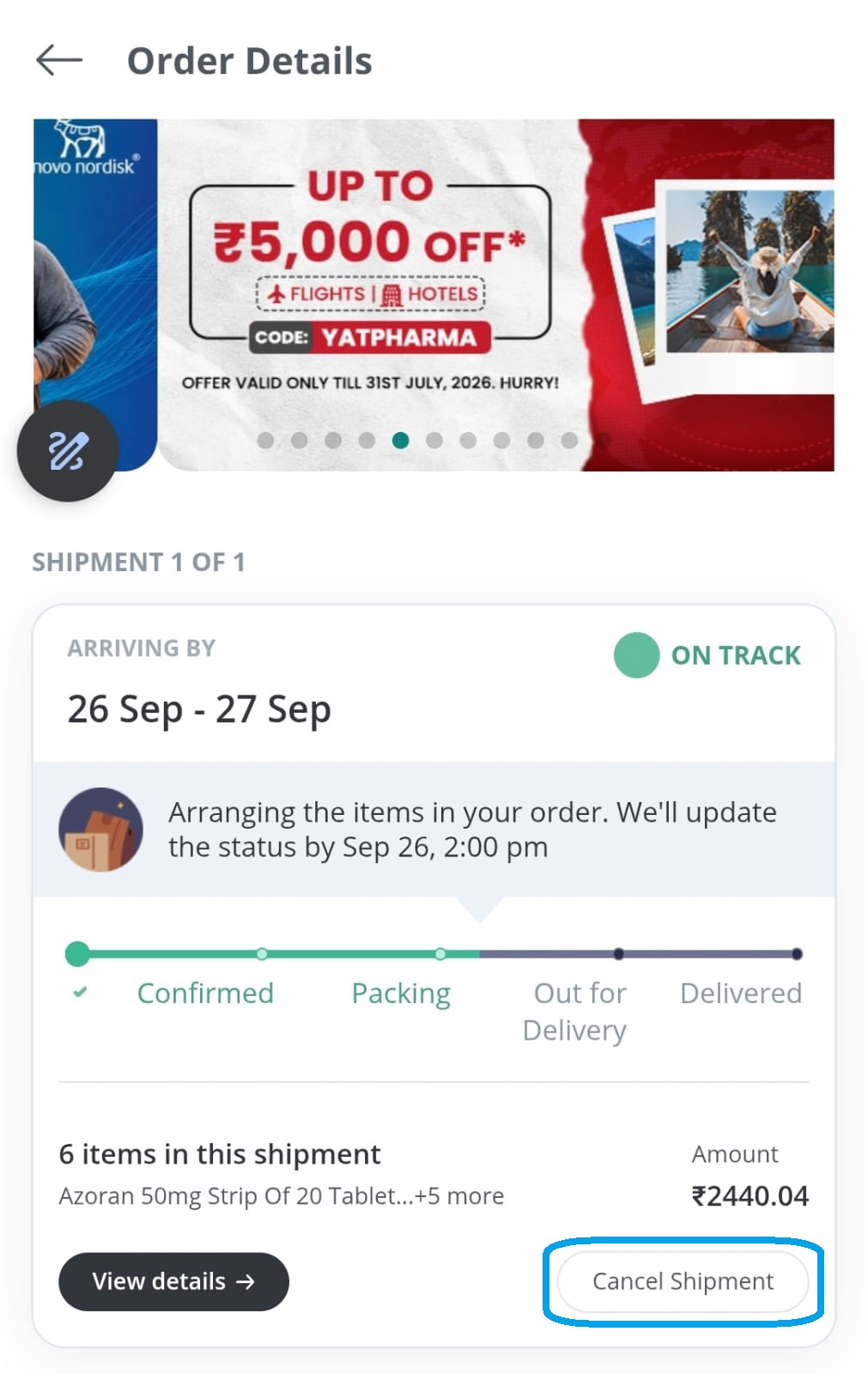
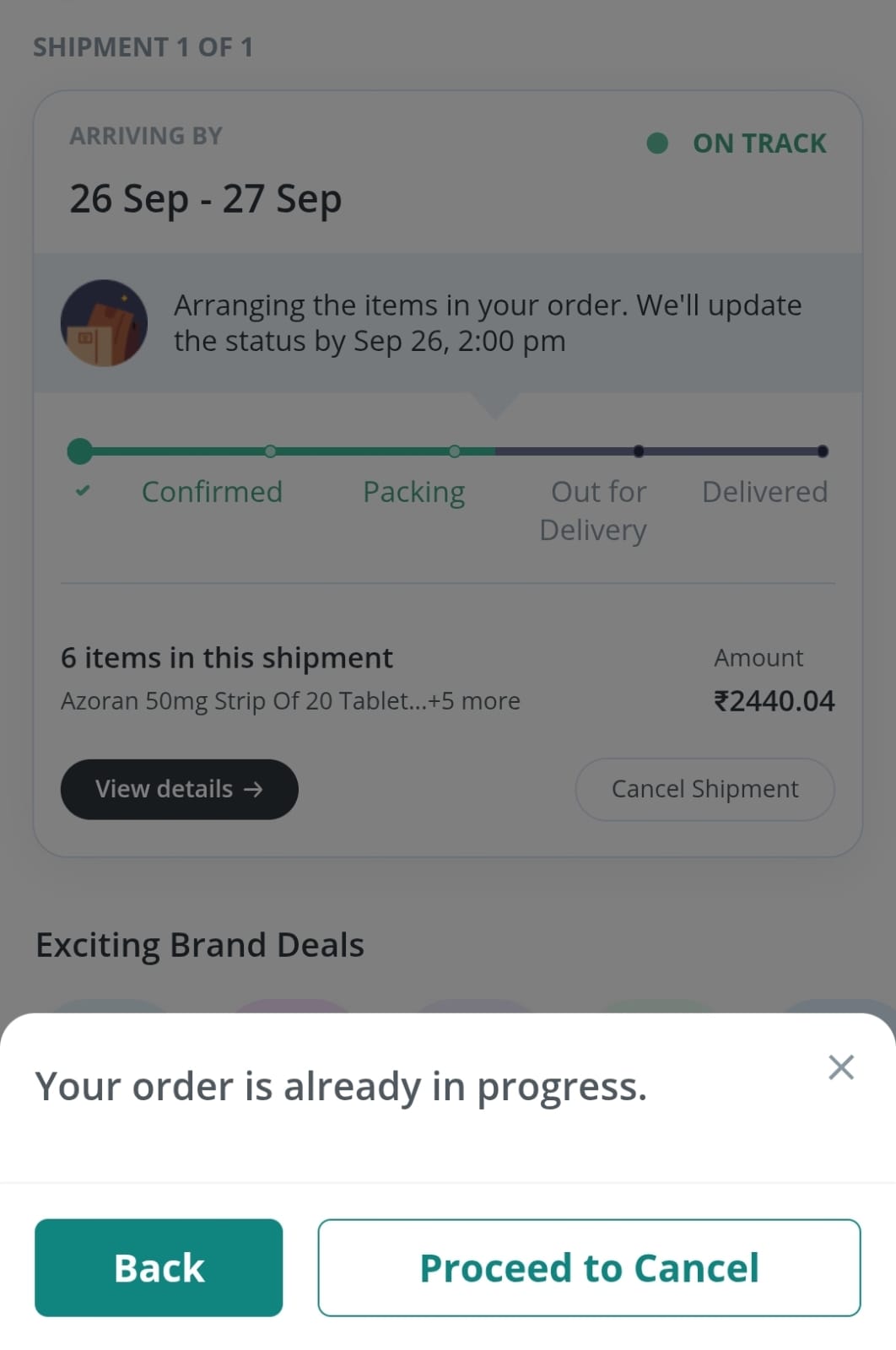
You can cancel any shipment yourself, as long as it's not yet out for delivery. To cancel:
- Go to Account, then Orders.
- Select your order.
- Tap View details on the shipment you want to cancel.
- Tap Cancel.
Already out for delivery? You can refuse it when our delivery partner arrives. If you paid online, the refund goes back to your original payment method automatically.
Still Need Help?
1 Lakh+ Products
We maintain strict quality controls on all our partner retailers, so that you always get standard quality products.
Secure Payment
100% secure and trusted payment protection
Easy Return
We have a new and dynamic return window policy for medicines and healthcare items. Refer FAQs section for more details.
Download the App for Free


Our Payment Partners
© 2026 PharmEasy. All Rights Reserved